
Manage and secure home servers with a built-in reverse proxy, authentication server, and container management system.
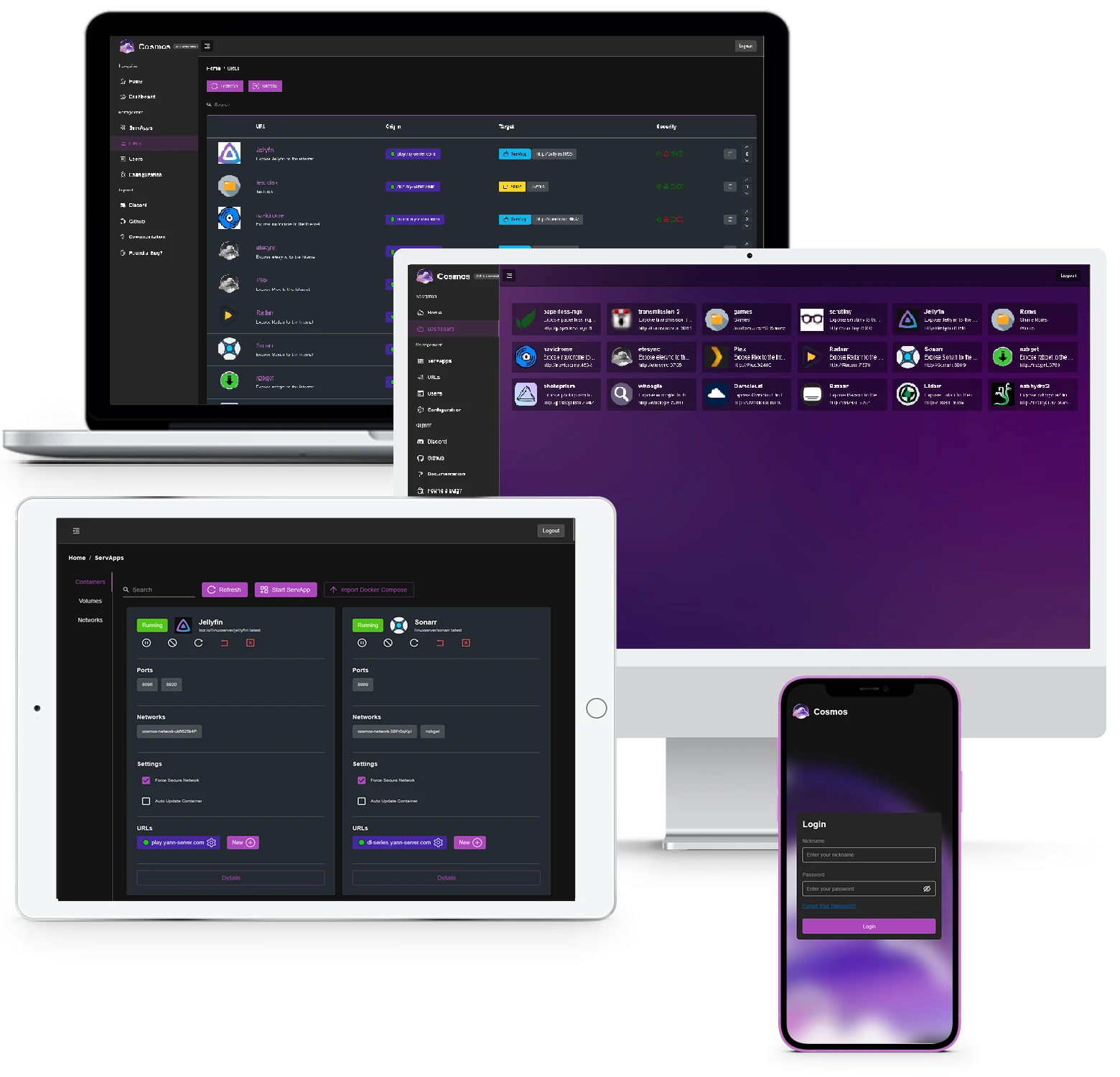
Cosmos Server is an open-source, self-hosted web app and server that functions as both a server manager and a secure gateway for home applications. It provides a centralized interface to deploy and protect services on hardware such as NAS devices, Raspberry Pi, or standard servers. By acting as a protective layer, it aims to mitigate the risks associated with running vulnerable self-hosted applications on personal hardware.
The software is deployed as a server application with a web-based user interface. It allows users to manage containers, handle networking, and secure external access to self-hosted tools like Plex or HomeAssistant without requiring manual configuration of complex security layers. It can also be operated via the terminal for those who prefer command line interaction over a graphical interface.
Key features
- App Store for installing applications with automatic updates and security checks
- Reverse proxy with automatic HTTPS and a dedicated management UI
- Authentication server supporting multi-factor authentication and OpenID
- Container management with support for docker-compose files and the docker CLI
- SmartShield technology for anti-bot and anti-DDoS protection
- Integrated VPN for remote application access without opening router ports
- Storage manager for disk handling, including Parity Disks and MergerFS
- Incremental, encrypted backups powered by Restic
- Real-time monitoring with persisting data and customizable alerts
Cosmos is designed for both beginners and experienced users, offering a modular architecture that allows users to disable specific components like databases or HTTPS if they are not needed. It integrates with RClone for network storage management and provides an identity provider to manage user access and invitations, allowing friends and family to request password changes via email. It does not lock applications to its own app store, allowing users to manage containers created via Portainer or the terminal while still benefiting from the built-in security features.
It positions itself as a security-first management layer that protects vulnerable self-hosted applications from external threats while avoiding vendor lock-in.
Similar Open Source Software

CasaOS
A personal cloud system for managing home servers through a visual interface and Docker container deployment.

1Panel
A web based Linux server control panel for managing websites, databases, containers, and AI agent runtimes.


Join our newsletter to get shiny new open source software delivered to your inbox. Unsubscribe anytime.