
A web based interface for managing cron jobs and bash scripts with live logging and monitoring.
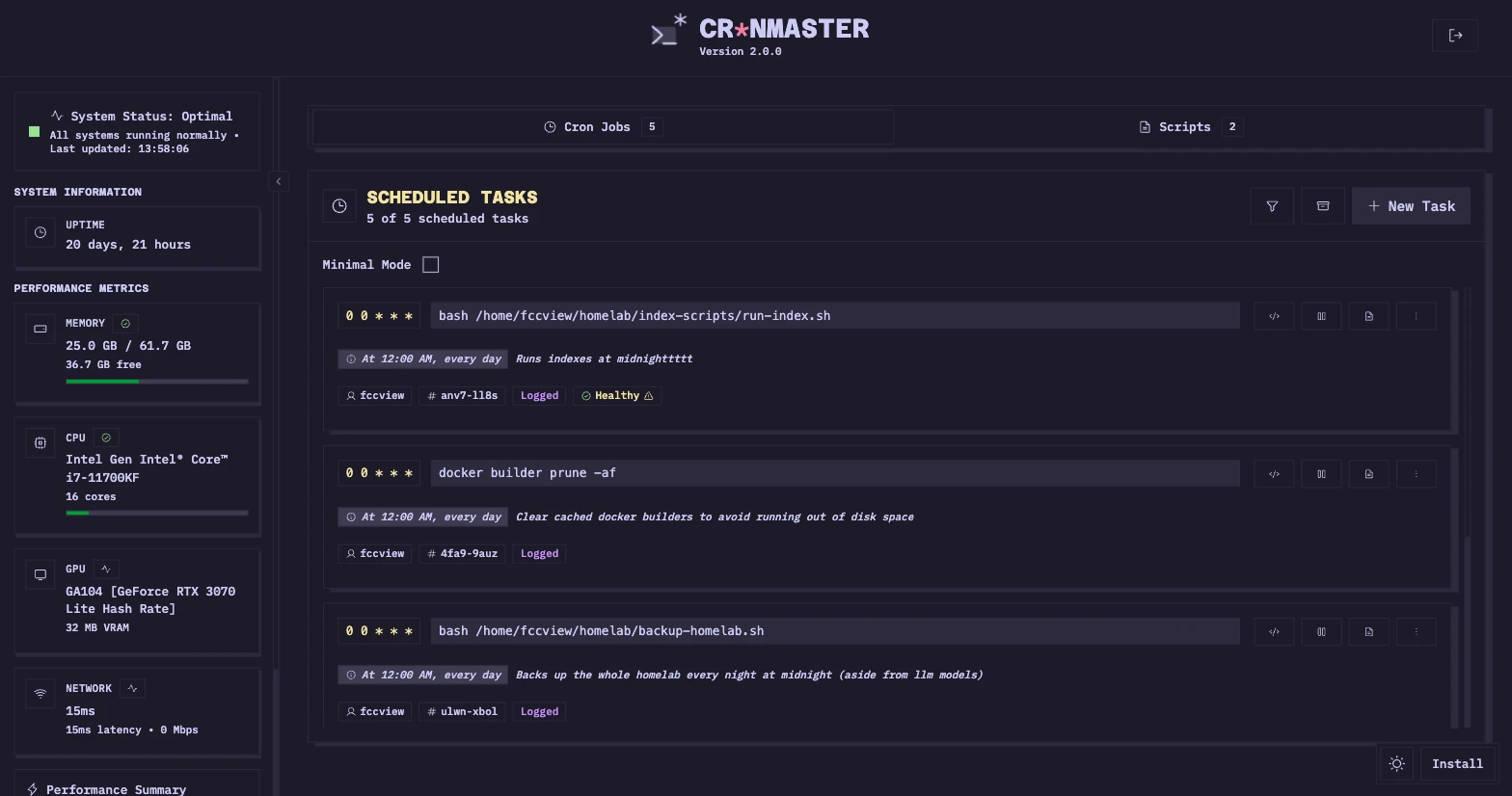
Cronmaster is a self-hosted web application that provides a graphical interface for managing cron jobs and bash scripts. It allows users to view, create, and delete scheduled tasks and scripts through a browser rather than using a command line interface. The software is deployed as a server application, typically running within a Docker container to manage the host system's automation tasks.
The application monitors system health and provides real-time feedback on task execution. It handles both synchronous jobs and background tasks with logging, ensuring that administrators can track the output and exit codes of their automated processes. Access is controlled via password or single sign-on integration to ensure that only authorized users can modify system schedules.
Key features
- Creation and deletion of cron jobs with custom comments
- Bash script editor with support for code snippets
- Live log streaming via Server-Sent Events (SSE)
- System monitoring for CPU, GPU, memory, and uptime
- Password-based and OIDC SSO authentication
- REST API for external programmatic integrations
- Automatic cleanup of execution logs
- Support for both AMD64 and ARM64 architectures
Cronmaster is built for users who require a visual dashboard for task automation on Linux systems. It utilizes direct file access to read and write crontab files, which ensures synchronization with the host system when running in a containerized environment. This approach bypasses traditional crontab command limitations often found in containers. The architecture includes a REST API with optional API key authentication, making it suitable for integration into larger infrastructure monitoring workflows. It supports various OIDC providers including Keycloak, Authentik, and Google for centralized identity management.
Users can utilize quick presets for common cron schedules to speed up the creation of new jobs. The software also includes a cloning feature for both scripts and jobs, allowing users to duplicate existing configurations and make minor edits without starting from scratch. The interface includes a responsive design with both dark and light modes to accommodate different viewing preferences.
This tool serves as a centralized control panel for system administrators and developers managing scheduled background tasks.
Similar Open Source Software


Join our newsletter to get shiny new open source software delivered to your inbox. Unsubscribe anytime.