Adjust brightness and volume of external displays on macOS using native keyboard keys and menu bar sliders.
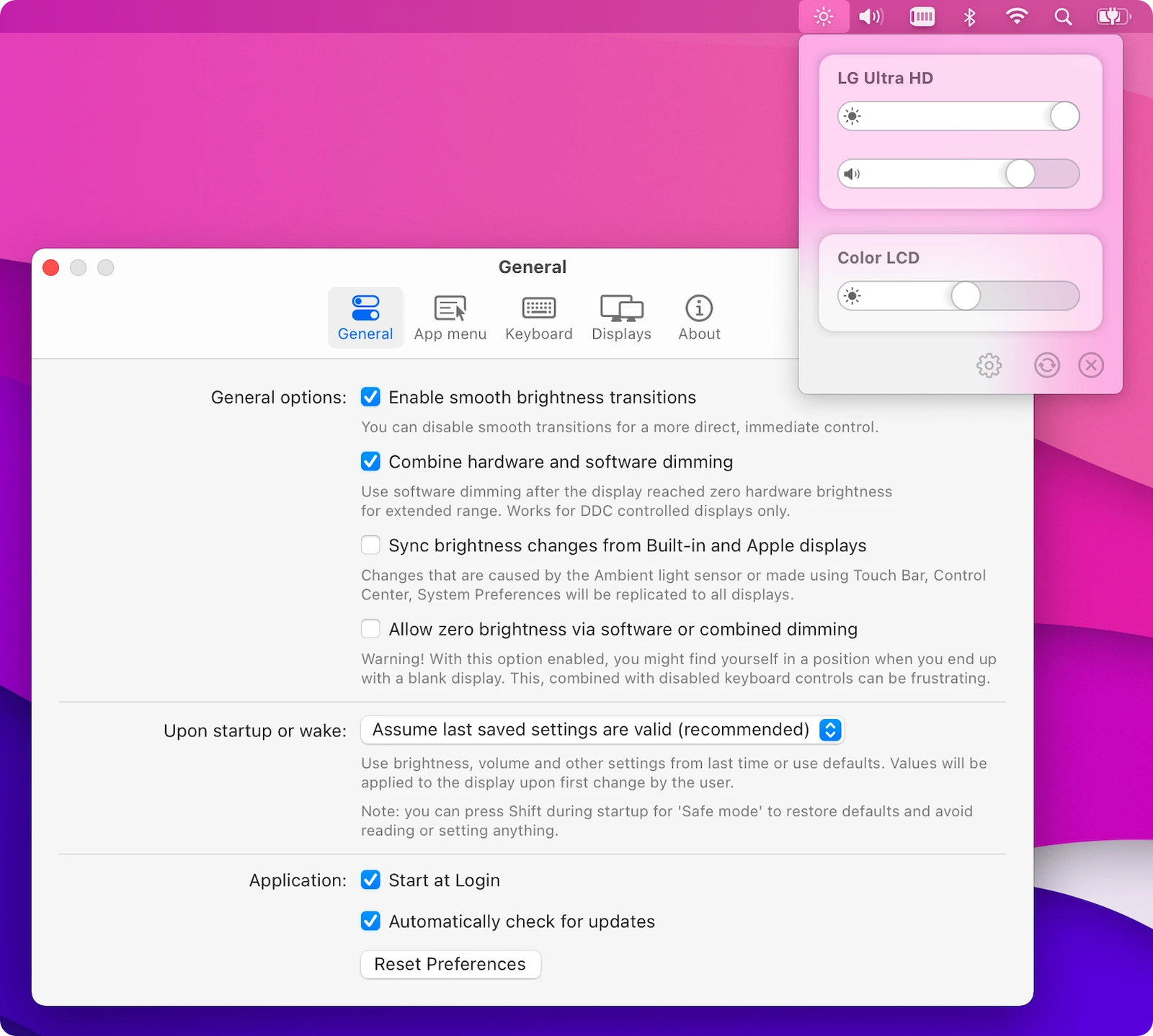
MonitorControl is an open-source cross-platform app that allows users to manage the brightness, volume, and contrast of external displays on macOS. It enables the use of native Apple keyboard keys or custom shortcuts to adjust external monitors as if they were built-in Apple displays. The application is installed via a .dmg file or Homebrew and operates as a menubar extra, providing a simple interface that blends into the general aesthetics of the operating system.
The software supports various connection types including USB-C, DisplayPort, HDMI, DVI, and VGA. It is compatible with macOS versions ranging from Catalina 10.15 to the latest releases, including Sequoia and Tahoe. Users can control multiple monitors simultaneously or synchronize the brightness of an external screen with the built-in display's ambient light sensor, replicating the behavior of native Apple hardware across third-party monitors.
Key features
- Hardware control of brightness, volume, and contrast via DDC/CI protocol
- Native macOS on-screen display (OSD) for brightness and volume
- Software dimming via Gamma table control for non-DDC displays
- Shade control for AirPlay, Sidecar, and DisplayLink virtual screens
- Synchronization of external display brightness with built-in Apple screens
- Support for standard Apple media keys and custom keyboard shortcuts
- Ability to dim screens to full black
- Smooth brightness transitions between levels
The application is written in Swift and utilizes several protocols to ensure compatibility across different hardware configurations. While it supports most modern LCD displays from major manufacturers, certain HDMI ports on M1 and M2 Macs do not support DDC control. In these specific cases, the app provides software-only dimming as a fallback. It is designed for Mac users who want a simple, unobtrusive interface that eliminates the need for manual monitor button adjustments. The software includes an advanced settings menu to tweak inner workings to suit specific hardware needs.
MonitorControl serves as a lightweight utility for automating display adjustments on macOS desktops.
Similar Open Source Software

Flow.Launcher
Search for applications, files, and web content through a keyboard driven launcher for Windows desktop.

HeroicGamesLauncher
Manage and launch games from Epic Games Store, GOG, and Amazon Games on multiple desktop platforms.
Join our newsletter to get shiny new open source software delivered to your inbox. Unsubscribe anytime.